
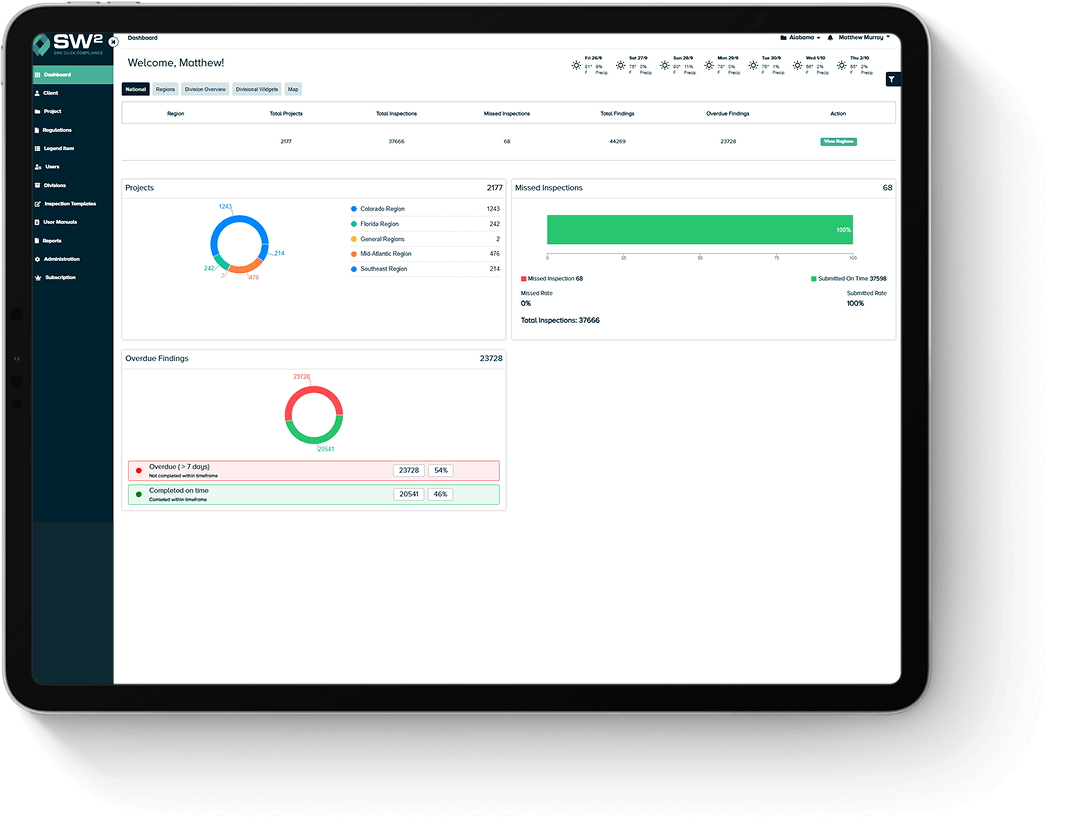

SW² helps your team track inspections, BMP updates, corrective actions, and compliance reports as site conditions change.
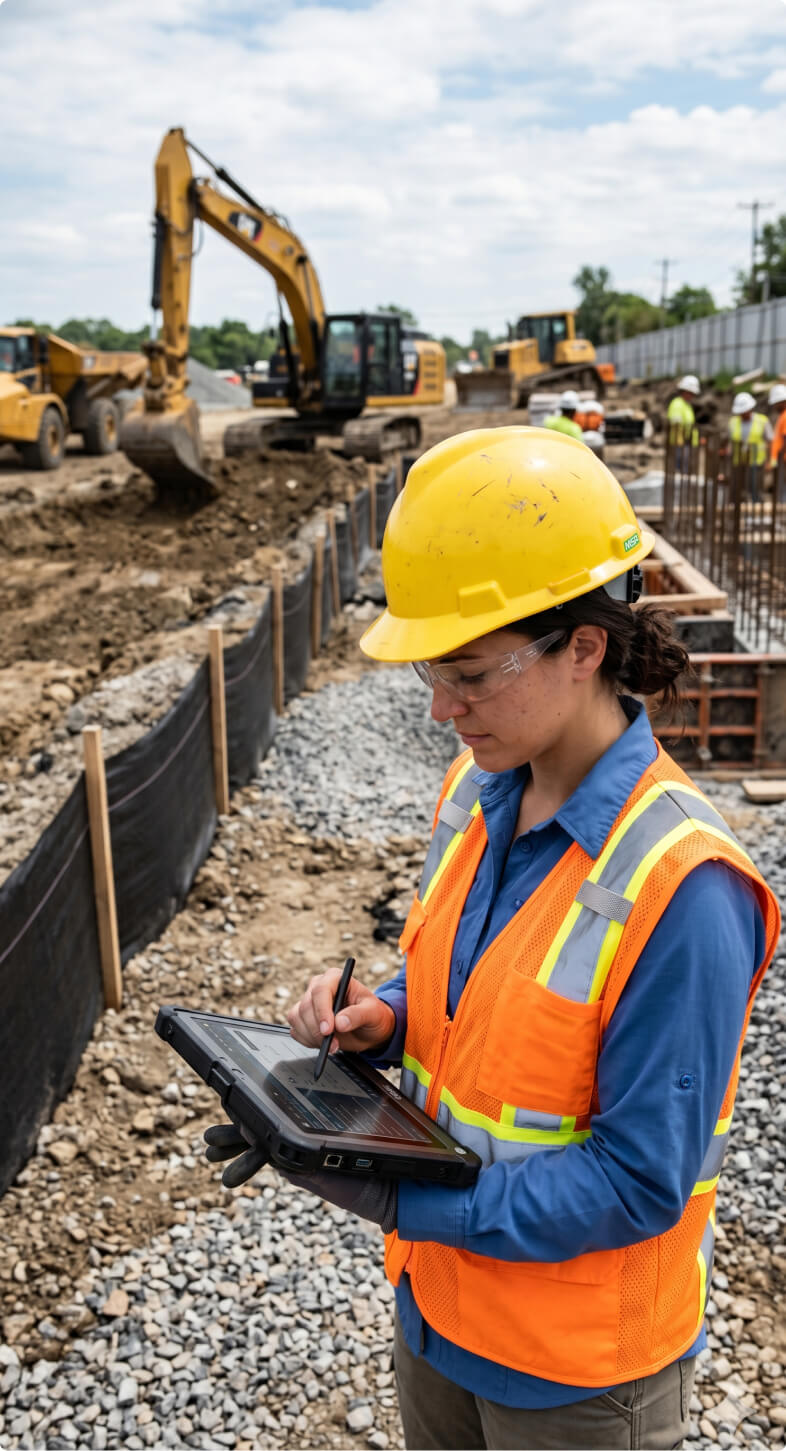
Simplify SWPPP Compliance and Documentation
SWPPP paperwork has a way of falling behind quietly. A site changes. A BMP gets moved. Rain exposes a weak spot. A photo gets taken, but never makes it into the inspection file. By the time an inspector asks for records, someone is digging through binders, spreadsheets, inboxes, and phone galleries. SW² gives teams one place to keep the compliance record current. That includes:
- SWPPP documentation
- Inspection history
- BMP records
- Site map updates
- Corrective action logs
- Photos and field notes
- Reports for agency or internal review
For example, a grading phase may change drainage patterns, a subcontractor may move inlet protection, or a concrete washout area may shift closer to active work. Those changes may seem small in the field, but the SWPPP record needs to reflect them. SW² helps connect those updates to inspections, photos, site maps, and corrective action records before the file becomes hard to defend.
Book a DemoWhat Is SWPPP Compliance Software?
SWPPP compliance software helps teams keep the working record behind a Stormwater Pollution Prevention Plan current as site conditions change. On an active project, the SWPPP record may need to reflect inspection findings, BMP maintenance, site map updates, pollutant source changes, responsible parties, corrective actions, and follow-up documentation.
SW² helps keep those moving pieces tied to the same compliance record, so the plan does not fall behind the work happening in the field.
For many construction sites, EPA stormwater permit requirements can apply when land disturbance reaches 1 acre or more, including smaller sites that are part of a larger common plan of development.
Once a project is covered, the challenge is not only having a SWPPP. The bigger challenge is keeping inspection records, BMP documentation, and site updates aligned through each phase of work.
Book a Demo
What SWPPP Compliance Software Helps Your Team Track and Control
SWPPP software supports the data collection and records that matter during inspections and audits, such as:
- NPDES permit compliance activity
- Site inspections
- Rain event inspections
- BMP documentation
- Corrective action logs
- SWPPP amendments
- Inspection records retention
Field conditions change fast. A BMP moves, drainage shifts, or a repair gets missed. SW² helps keep those updates tied to the SWPPP record before they become gaps.
Book a Demo
SW² connects inspections, BMP documentation, corrective actions, site updates, and compliance reports, so your team can keep records current as work happens.
Manage SWPPP Inspections and Documentation in One Platform
Inspections only help when the data collection and records tell the full story. SW² connects field notes, photos, findings, rain event logs, SWPPP updates, site map changes, corrective actions, and reports in one real-time system. That way, documentation stays tied to the work happening on site instead of getting scattered across paper forms and separate folders.
SW² keeps follow-up items organized when inspectors find damaged inlet protection devices, exposed stockpiles, leaking washout areas, missed maintenance items, or signs of sediment leaving the site. Each finding connects to the correct BMP, location, photo record, follow-up action, and final report.

With SW², teams can keep track of:
Inspection → Location → BMP → Photos → Updates → Follow-Up → Report
That turns the inspection from a one-time checklist into a usable record for the compliance process.
Track BMPs and Corrective Actions
BMP tracking is where SWPPP compliance gets real.
Erosion controls, sediment controls, inlet protection, stabilized entrances, perimeter controls, and other BMPs can change throughout a project. Some need maintenance. Some fail after heavy rain. Some get removed or adjusted as construction projects move across the site.
SW² helps teams document BMP conditions and follow corrective actions through to resolution.

-
From Finding to Fix
A regulator may not only want to see that a problem was found. They may want to see what happened next.
BMP Compliance Step How SW² Creates a Compliance Trail Issue found What failed, where it happened, and when it was observed Field proof added Photos, notes, and site details tied to the inspection record Follow-up assigned The maintenance need or corrective action that needs attention Fix completed What was corrected and when the work was finished Record closed The documentation trail showing the issue was handled
That is hard to manage with paper logs and loose photos. SW² keeps the issue history easier to follow, from the first finding to the final record.
Keep SWPPP Records
Ready for EPA and NPDES Audits
A clean SWPPP record can make an inspection feel less like a fire drill. SW² helps teams keep inspection history, documentation access, corrective action logs, reports, and audit trails organized for local, state, or federal review. Record retention deserves attention here. Under EPA’s 2022 Construction General Permit, inspection reports must be retained for at least 3 years after permit coverage expires or is terminated. That means the record still matters after the work is done.
Closeout documentation matters too. SW² helps teams keep final stabilization, temporary BMP removal, drainage checks, post-construction BMP status, and subcontractor cleanup records tied to the project file instead of scattered across old notes and emails. There is also real penalty exposure tied to Clean Water Act violations. Current EPA civil penalty tables list Clean Water Act penalties under 33 U.S.C. 1319(d) at $68,445 for applicable violations assessed on or after January 8, 2025.
SW² does not replace the responsibility to comply. It helps teams keep the documentation cleaner, easier to access, and easier to defend.

Support Construction Site SWPPP Compliance
Active construction sites do not sit still. Grading changes. Drainage patterns shift. BMPs get added, moved, repaired, or removed. Contractors, environmental consultants, municipal project teams, and site managers all need records that match what is happening on the ground. SW² supports construction site SWPPP compliance by tying together:
- Site inspections
- Site map changes
- BMP updates
- Field photos
- Corrective actions
- Inspection reports
- Project closeout records
From small construction projects to large compliance programs, SW² offers flexible plans without long-term contracts.
SWPPP Compliance Scenarios SW² Helps Teams Manage
SW² helps different teams keep SWPPP records aligned with field activity, not buried across notes, photos, spreadsheets, and old reports. Here’s where SW² can help:
-
Land development and construction projects.
Track grading phases, disturbed areas, stockpiles, stabilized entrances, perimeter controls, inlet protection, and temporary BMP removals.
-
Municipal and public works projects.
Keep road work, utility work, drainage improvements, contractor follow-up, inspection notes, photos, and corrective actions easier to trace.
-
Industrial and commercial sites.
Document material storage, fueling areas, equipment maintenance, washout areas, spill response, waste handling, and good housekeeping records.
-
Environmental consultants.
Manage client inspection reports, BMP findings, photo records, corrective action history, and audit-ready documentation across active projects.
SWPPP compliance gets easier when the record follows the work. SW² helps teams keep those details current before missing documentation becomes a bigger problem.
Replace Manual SWPPP Spreadsheets and Paper Logs
Paper binders work until they don’t. A binder can sit in the wrong truck. A spreadsheet can miss the photo context. A corrective action can get marked in one place while the follow-up note lives somewhere else. Then report prep turns into detective work.
That is the real gap between manual tracking and connected SWPPP compliance software: the work may get done, but the record becomes harder to prove.
| Manual SWPPP Tracking | SW² SWPPP Compliance Software |
|---|---|
| Paper binders can fall out of date | SWPPP records stay easier to update |
| Photos may get separated from findings | Photos stay tied to inspection records |
| Corrective actions can be hard to follow | Open issues and follow-up steps stay visible |
| Reports take longer to prepare | Reports can be generated faster with connected records |
| Site map changes may not match the latest field conditions | Site maps can be updated as the project changes |

Why Teams Use SW² for SWPPP Compliance
Teams use SW² because SWPPP compliance is not just about completing inspections. The records have to stay current, searchable, and ready to show.
SW² helps teams:
- Save an average of 2 hours on paperwork
- Generate reports 70% faster
- Automate up to 80% of routine compliance tasks
- Keep records organized for inspections and audits
- Support construction, municipal, industrial, consulting, and post-construction compliance work
For busy stormwater program teams, the benefit is practical. Less time spent chasing paperwork. More confidence that inspection records, BMP documentation, corrective actions, and reports are where they should be.
Book a DemoStart Managing SWPPP Compliance With Less Risk
SWPPP compliance gets easier when the important pieces live in one place. Start a free trial of SW² to see how your team can plan inspections, manage BMP documentation, track corrective actions, update site maps, and prepare reports with fewer gaps from the field to the office.


FAQs
-
How does SWPPP software help with EPA and NPDES compliance?
SWPPP software helps teams keep the compliance record organized as site conditions change. Instead of separating inspection notes, SWPPP updates, photos, corrective actions, and reports across binders or spreadsheets, SW² keeps those records connected so teams can show what was inspected, what changed, and what follow-up was completed. That matters during EPA, state, or local reviews because the record needs to tell a clear story, not leave someone piecing it together after the fact.
-
Can SWPPP inspections be completed in the field?
SWPPP inspections can be completed in the field with documentation tied directly to the site conditions observed that day. Teams can record findings, add photos, note BMP issues, document rain-related conditions, and keep inspection records connected to the project’s SWPPP documentation. That helps reduce the gap between what happened on site and what later appears in the compliance file.
-
How does SW² help track BMP inspections?
SW² helps teams document erosion controls, sediment controls, inlet protection, perimeter controls, stabilized entrances, and other BMPs as they change through the project. If a control fails, needs maintenance, or gets moved, teams can record the finding, attach photo proof, and track the corrective action through completion. The value is not just knowing a BMP had a problem, it is having the documentation trail that shows how the issue was handled.
-
Does SWPPP software support rain event inspections?
Yes, SWPPP software can support rain event inspections by helping teams document site conditions, runoff concerns, BMP performance, photos, findings, and follow-up actions after qualifying weather events. SW² also highlights NOAA weather forecast access, which can help teams plan around real site conditions instead of relying on guesswork. For SWPPP compliance, that weather context can make inspection timing and documentation easier to defend.
-
How long should SWPPP records be retained?
SWPPP record retention can depend on the permit, state rules, and project requirements, so teams should follow the applicable NPDES permit and local regulatory guidance. Under EPA’s 2022 Construction General Permit, inspection reports must be retained for at least 3 years after permit coverage expires or is terminated. That is why organized records matter after closeout too, not just during active construction.
-
How much does SW² cost?
Pricing starts at $12 per month for the Essentials plan. Pro plans begin at $18 per month, and Enterprise plans start at $49 per month. All plans are month to month, so teams can adjust as their needs change. Both Essentials and Pro also include a free trial, which makes it easy to explore the platform before committing.