Key Takeaways:
- SW2 Stormwater inspection software helps keep inspection data, optional photos, and documents connected to the right site and date.
- It gives teams a simpler way to manage SWPPP, MS4, and industrial stormwater work without relying on scattered files.
- Field staff can complete inspections faster, track corrective actions, and keep rain event documentation organized in one system.
- Strong reporting and document control make audits, regulator requests, and day to day compliance easier to manage. Leverage your data to make data informed decisions on your projects.
What Is Stormwater Inspection Software?
Stormwater inspection software is a digital system for conducting stormwater inspections, capturing field evidence, tracking corrective actions, and generating compliance ready reports for NPDES permits.. It replaces paper checklists and scattered files with one organized workflow, so inspection data, photos, and documents stay tied to the right site and date.
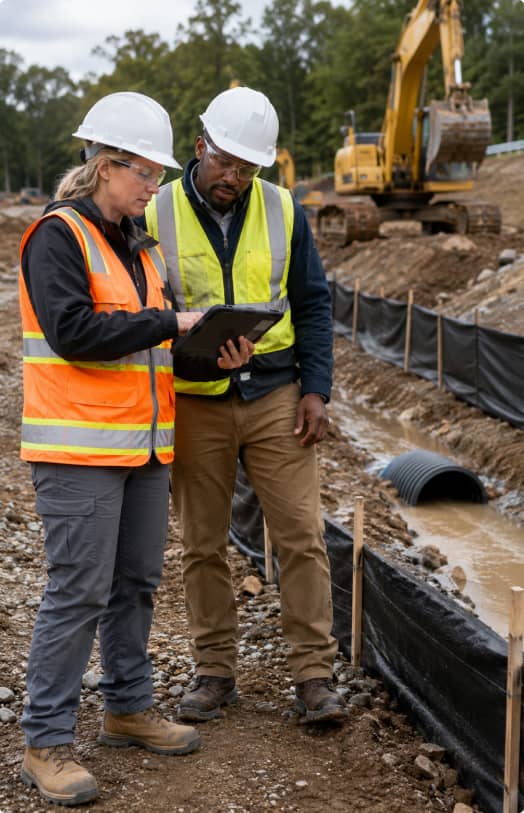
Most teams use SW2 to cut the busywork. You complete inspections on a phone or tablet, attach photos as you go, then generate reports from the same record instead of re typing everything later.
SW2 Features include:
- Mobile inspections with configurable inspection workflows
- Optional photo evidence linked to the inspection record and location
- Corrective action tracking with assignments and re-inspections
- Compliance reports with export and sharing options
- Customizable Document storage for SWPPP documentation, permits, and NOIs, etc.
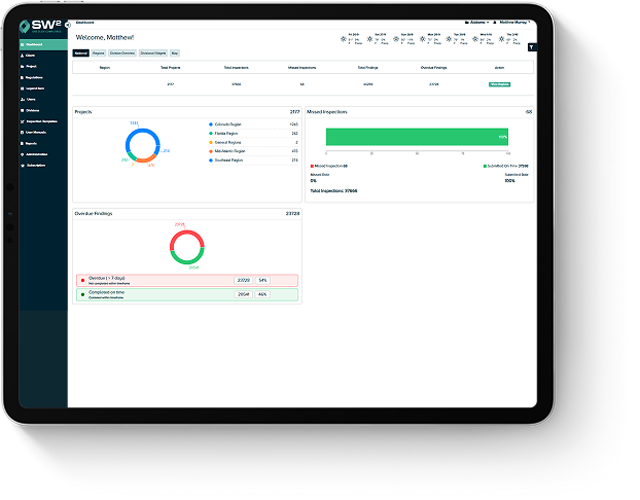
- Dashboards to track compliance levels across projects across your jurisdiction or the country
- Cloud based history for quick retrieval during audits
Who Uses Stormwater Inspection Software?
Stormwater inspection software is used by teams responsible for stormwater compliance under NPDES permits. That usually includes contractors running SWPPP inspections, municipalities managing MS4 programs, industrial facilities tracking permit requirements, and consultants juggling reporting across clients. The common thread is simple: they need consistent inspection data, controlled documents, and compliance reports that do not take all day to assemble. Let SW2 improve your overall program while increasing your teams efficiencies.
-
Construction Projects and SWPPP Inspectors
Construction sites change by the hour, so SWPPP inspectors need a fast way to document BMP condition, erosion and sediment controls, and rain event impacts without losing the thread. Software keeps inspections tied to the right site map and SWPPP documentation, then tracks corrective actions from “found it” to “fixed it,” with photos as proof.
-
Municipal MS4 Programs
Municipal MS4 teams manage a stormwater program across a whole community, not a single site, which means outfalls, inlets, basin assets, and IDDE work all have to stay organized under minimum control measures. A good system helps staff plan inspections, track completion, and pull up records quickly for annual reporting or an audit request.
-
Industrial Facilities
Industrial facilities often need tighter documentation, especially when inspections, monitoring, and corrective actions connect directly to regulatory requirements. Inspection software helps teams complete inspections on schedule, attach evidence, keep sampling records straight when applicable, and generate reports that hold up when a regulator asks questions.
-
Environmental Consultants
Consultants are usually managing multiple sites, multiple clients, and multiple report formats, sometimes all in the same week. Software helps them keep each project’s documents and inspection data separated and searchable, and it makes reporting and follow up tracking feel less like a spreadsheet circus. Consultants will love the Team Management widgets and their clients will love the SW2 interface, it’s a win win.
What Types of Stormwater Inspections and Permits Are Supported?
Most stormwater inspection software supports NPDES based workflows, especially construction SWPPP permits, municipal MS4 permits, and industrial stormwater permits. The goal stays the same in each case: solid data collection, faster compliance reports, and a clear trail that holds up during an audit. Our system has been tested through thousands of state and federal audits. The reoccurring feedback is “we didn’t know it could be this simple”.
Construction SWPPP inspections focus on changing site conditions, BMP performance, and erosion and sediment controls. Because the site shifts as work progresses, inspectors need a simple way to document what they saw and track fixes.
Common tasks include:
- BMP condition checks and notes
- Rain event inspections and updates
- Photo evidence linked to the inspection record
- Corrective actions with follow up and closure proof
- 100% digital solution with editable SWPPP narratives, BMP details and site maps.
MS4 workflows usually follow minimum control measures and program requirements across a city or county, not a single checklist for one site. These platforms often support asset based inspections and program reporting.
Typical modules include:
- Outfall inspections and asset tracking
- Illicit discharge detection and investigation records
- Public education and outreach tracking
- Annual reporting documentation support
Industrial workflows vary by permit and facility, so it is smart to verify the details locally. In practice, many programs combine routine walkthrough inspections with documentation and, when required, monitoring or sampling records.
Common tasks include:
- Facility inspections of drainage areas and controls
- Sampling and monitoring documentation when applicable
- Benchmark tracking when required
- Corrective action documentation and closure history
Key Features of SW2 Stormwater Inspection Software
Features are only “features” if they make your day easier. When you are managing stormwater compliance, the goal is simple: fewer loose ends, cleaner inspection data, and compliance reports you can generate without a late night copy paste marathon.
Does SW2 Stormwater Inspection Software Work Offline?
SW2 plans do have an offline mode to ensure nothing gets in your way. Offline mode is common, and it is a big deal if your sites have weak coverage. Inspectors are able to complete inspections, capture photos, and enter notes without service, then sync everything once they are back online.
Book a DemoWeather Based Inspections and GIS Mapping for Smarter Field Work
Weather and mapping sound optional at first, but they start paying for themselves once you are managing multiple sites and deadlines. When both are set up well, you can plan inspections around real conditions, tie inspection data to the right locations, and keep reports connected to the assets they reference.
-
Rain Event Tracking and Weather Alerts
Rain features are only helpful if they cut guesswork, not add another screen to check. A good setup pulls precipitation info, flags qualifying rain events, and ties that record to the inspection and the compliance report. When you are watching a demo, ask where the weather data comes from, NOAA, National Weather Service, or a local gauge, then see if you can adjust thresholds to match your permit rules.
-
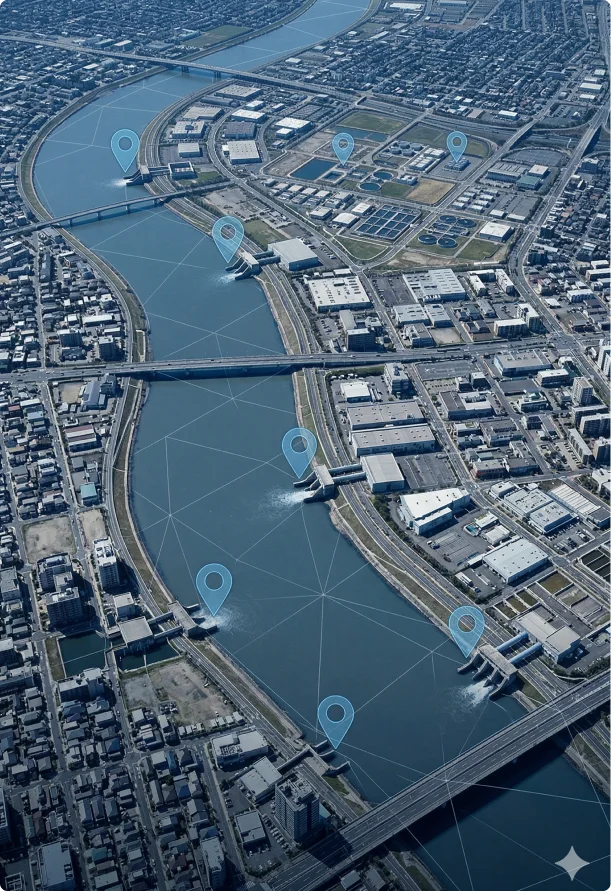
GIS Mapping and Asset Tracking
Maps earn their keep when your inspections follow assets like outfalls, inlets, basins, and BMPs instead of a generic site name. The basics should feel smooth in the field, mobile map view, GPS help, and a simple asset list you can search. No more bags of sharpies, you now have a 100% digital solutions. One more thing to check early is import and export, because most teams already have a CSV or GIS file and nobody wants to rebuild an inventory from scratch.
How Do SW2's Features Stack Up Against the Competitors? See What We Have to Offer!
Compare all features
Expand any category to see exactly what's included in each plan.
Perform inspection
Unlimited use of our custom Inspection form Creator and Editor
Inspection Calendar
Creation and management of required minimum inspection schedule.
Creation and management of project types
Creation and management of finding types
Automated CA Log
Automated CA notifications
No Login CA sign off
Attach photos to inspection reports
Scheduling Manager
Easily track your required inspections through a calendar view
Export your required inspections to an interactive Excel file
Ability to modify multiple inspection schedules without inadvertantly missing an inspection
Ability to review an inspection schedule as it relates to project size and time necessary ensuring your team has adequate ability to perform their duties
Ability to view and list multiple inspection schedules at a time
Unlimited Document Storage
Creation and Management of custom project documents folders
Optional QR Code gives others access to view only project docs of your choosing
Creation and Management of editable custom project doucments folders
Editable SWP documents making your SWP truly a living document.
With data storage and ease of digital updates, never lose your work again and save time and money increasing your teams effecinciy
Automatic Project Doc Change and amendment tracker Logs
Project document activity logs letting you know whose adding, deleting and replacing your files
Rain Logs for your project documents
Select from a history of saved maps so you can tie a map version to a specific inspection report or specfic date in time.
Map satellite view of projects
Interactive Site Map for identifying Corrective Action locations
Interactive Real Time Digitial Map Updates
Automatically Tie BMPs from active site maps to SWP BMP detail cut sheets
Create and manage customized map legends.
Customizable BMP icons for maps
Automated Map AmendmentTracker and Log
Customizable BMP detail redlines in real time, allowing your paperwork and site to talk seamlesslessly
Current weather and NOAA detailed speciifc forecast for each project.
Automated Post Storm Tracker
Automated Weathers Alerts notification (CA)
Daily and hourly precipitation totals
Fully automated Rain Log
View, manage and download precipitation logs with custom ranges from hourly to daily.
NOAA
CA NOAA weather table and notification
Specialized dashboard for each end user type.
Specialized Dashboards for each user group
Email completed reports/logs
Project Achievment/Accolades
Dashboard Widgets Utilizing Project Management Metrics with real time data
Comprehensive Automated Reporting from a National, Regional, Divisional and/or per Project point of view.
Compliance reports /Metrics
Findings report / Metrics
Custom Dashboard Widgets Based on additional selected services)
Optional Pictures with findings and corrective actions.
Creation of Photo Log Pre, During and Post Permit documentation ensuring cradle to grave compliance
Ability to annotate pictures identifying exactly what needs attention avoiding confusion in the field
Ability to access photos for internal use only behind password protection
Access photo log from anywhere allowing you to monitor your site, trades and employees in real time.
Ability to have photos automatically dissolve after CA has been completed
Automatically geolocate finding photos
Work Offline Mode. Never let poor cell service interfere with your work again.
Built in Automatic Route Planner
Map your schedule based on your projects lat and long
Choose from variable route options to optimize your day
Route plan Map View
Seamlessly tie your route with your phone or vehicle navigation system
Unlimited Users, everyone from upper management, to your inspection team and BMP subcontractors
Organize by Company, Region, Divisions and/or Sites
Client can add sites and users
General Onboarding and Set up
Fast and reliable phone and E-mail support
Daily Data Backup and storage
SSL Security True 256-Bit Encryption
Permit tracking tool
Free Branded App and Login page
Access to all new apps that we add, a lot of times brought by us through you.
Custom Reporting Allowing you to leverage your data through our advanced data mining capabilities.
How Much Does SW2 Stormwater Inspection Software Cost?
SW2 stormwater inspection software pricing is structured by the plan you select. SW2 provides more features in one platform than the current most popular software.
Here is how pricing starts with SW².
| Plan | Starting Price | Best Fit |
|---|---|---|
| Essentials | $12/month | Small teams that need core inspection tools |
| Pro | $18/month | Teams that want more flexibility and customized add-on options |
| Enterprise | $49/month | Larger teams that need full access and advanced features. Contact sales for pricing tailored to your company. |
Book a Demo
How to Choose the Right Stormwater Inspection Software
Choosing gets easier when you score vendors against your real workflow, not a sales demo script. A quick pilot in the field will tell you more than an hour of slides.
Here is a simple 10 point evaluation checklist:
- Supports your permit type, SWPPP, MS4, or industrial, without awkward workarounds
- Mobile inspections are fast and easy for real field use
- Photo evidence stays linked to the right inspection data and location
- Corrective actions are easy to assign, track, and close with proof
- Offline mode works smoothly, without hiccups.
- Report generation is clean, and exports match what your team submits
- Document management keeps SWPPP documentation and permits organized with version control
- Dashboards make it easy to track compliance levels, overdue items, and trends
- Mapping and asset tracking fits your needs, especially for multiple sites
- Support and training feel realistic, including ongoing support after onboarding
Stay Inspection Ready Without the Paper Chase
Stormwater compliance runs smoother when your inspection data, photos, corrective actions, and documents all live in one place. When you can complete inspections in the field, generate reports quickly, and pull up SWPPP documentation on demand, the compliance process feels a lot more predictable, even across multiple sites and busy timelines.
If you want to see what that looks like in real life, SW² is worth a closer look. Book a demo or start a free trial, and test it on one active project, run a report export, and see how it fits your permit type, including SWPPP, MS4, or industrial stormwater compliance.
Book a Demo